The Showit Animation Bundle
New at With Grace and Gold
Thirty-five animations and a training video for every one, yours for $197 during introductory pricing.

Showit Animation Bundle
You've noticed the hover effects, the scrolling text, the photos that shift from black and white into color. Here are thirty-five of those animations, each with a training video showing you how to build it into your own Showit website.
You already know the feeling.
You land on someone's website and something about it holds you there. A button responds when you hover over it. A line of text drifts slowly across the screen. An image comes to life as you scroll past it.
You save the link, and you wonder how they did it.
Here's the good news. Most of those touches are simpler than they look, and you can add them to your own Showit website this week. We'll walk you through every one.
- Thirty-five Showit animations. Each one is built, tested, and ready for you to bring into your own website and shape around your colors, your photos, and your words.
- Thirty-five training videos. There's one video for every animation, and each shows you exactly how it's built and how to make it your own. Most are under ten minutes.
- Lifetime access. Your animations and videos are yours to keep and use on every Showit website you design, now and later.
- Instruction that respects your time. The videos are short and specific, so you can watch one, build it, and get back to the rest of your day.
What's waiting for you:
What you'll receive

Thirty-five animations, and a video for every one.
Here's what you'll be able to build.
Buttons that respond to a cursor, images that grow, photos that shift from black and white into color, and text that appears as someone hovers over a photo.
10 Hover Effects

Text that drifts across the screen, images that scroll in a continuous row, type that curves in a circle, and a little confetti when the moment calls for it.
5 Scrolling + Moving Elements
Graphs and counters to beautifully showcase the results, milestones, and proof points you want your visitors to notice and remember.
5 Ways to Show Your Numbers
Beautiful ways to show several photos at once without the page feeling crowded. Collage layouts that make your design feel engaging and memorable.
2 Collage Layouts
Gradients and dashed lines that give your calls to action and section breaks a more considered feel. Subtle, intentional animations to elevate your design.
3 Finishing Details
This is a placeholder. This is a placeholder. This is a placeholder. This is a placeholder. This is a placeholder. This is a placeholder.
Placeholder
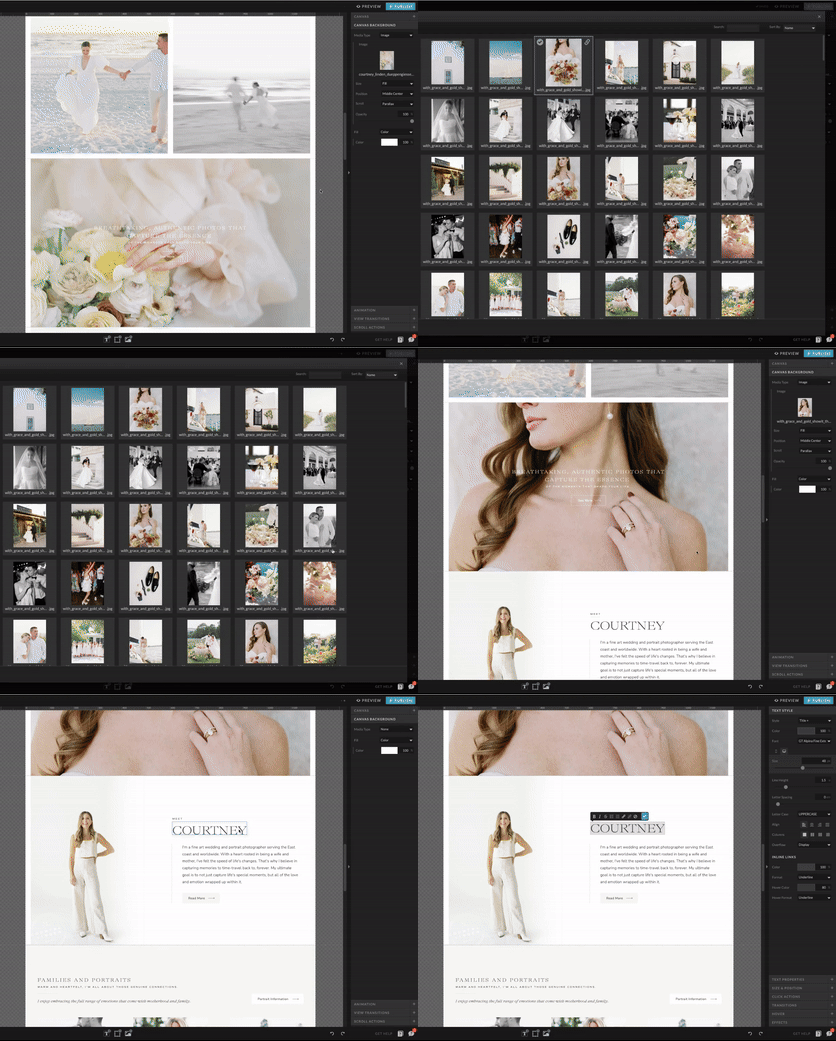
Every animation comes with its own training video walking you through how to build it.
Customize and Launch It
Choose Your Animation
Purchase the Animation Bundle

- You're a photographer, planner, florist, coach, copywriter, interior designer, or creative of any kind, and you'd love for your Showit website to feel a little more alive.
- You've customized a Showit template and you're ready to add a few touches that feel like you.
- You're a designer who wants to bring something special to client projects without spending a weekend figuring out how to build it.
- You've noticed an effect on a website you loved and wondered how they pulled it off.
- You want to understand how these animations work, so you can use them again on every website you design from here.
This bundle was made with you in mind.
Who This is for

Here are a few things people like to know.
Before You Buy
Yes, and we hope you do. You're welcome to use these animations on client projects and on your own websites, as many times as you'd like. Once you've learned how an animation is built, it becomes part of your toolkit for every website you design from here forward.
I'm a designer. Can I use these on templates I design for clients?
You're in good company, and this is a lovely place to begin. Each training video starts from the beginning and shows you every step along the way, so you can follow along at whatever pace feels right and build your very first animation without any prior experience.
What if I'm brand new to Showit?
Yes, these animations work with any Showit website. Whether you're using a With Grace and Gold template, a template from another designer, or a website you designed entirely on your own, you'll be able to bring these animations in and shape the colors, timing, and content around your own brand.
Will these work with any Showit website and Showit template?
You don't need to know how to code at all. Every animation in the bundle is built inside Showit using the tools already available to you, and the training videos walk you through each step, showing you exactly what to click and what to adjust along the way.
Do I need to know how to code?
You'll receive an email with your access right away, so you can start the same day you purchase. Everything lives in one place, with each animation paired to its own training video, and you're welcome to begin with whichever animation you've been wanting to build most rather than working through them in order.
How do I access the animations?
The Showit Animation Bundle is $197 during its introductory pricing, and it will be $297 before long. Your purchase includes all thirty-five animations, a training video for every single one, and lifetime access to the full library, so you're welcome to return to it whenever you're designing something new.
How much is the Animation Bundle?
© 2014 - 2026 With Grace and Gold. Terms and Conditions. Careers. Affiliate Program. Affiliate Login.